Quick Capture Console
The Quick Capture Console in ByDesign is your command bar for capturing tasks, creating events, adding pages, and more using natural language.
Written By Chirali Jain
The fastest way to get things out of your head—and into your system.
It’s always ready for you.
On desktop (app or browser):
Ctrl + G(Windows) /Cmd + G(Mac)In the desktop app, use it from anywhere on your computer - even if ByDesign is running in the background
In browser, it works anywhere inside the app
🧠 How it works
When you press Ctrl + G, the console appears. You can start typing right away.
For example:
Drink water every day at 8am
ByDesign will automatically detect:
Task name: Drink water
Frequency: every day
Time: 8am
Type: Task (default)
Based on what you write, ByDesign will show smart suggestions:
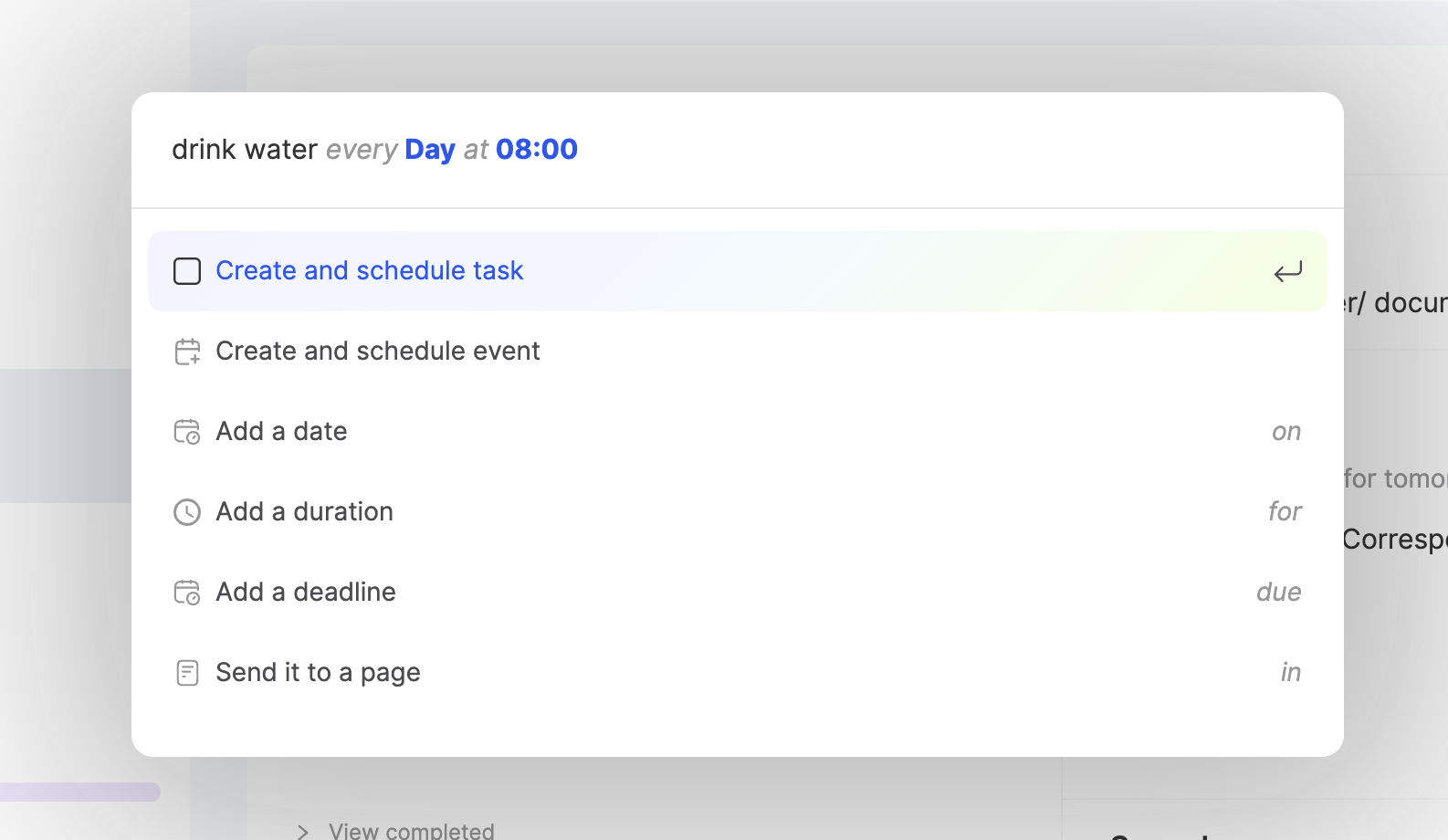
You can use the arrow keys to move between suggestions and Enter ↵ to confirm your choice.
🔍 What can you capture?
You can create or schedule:
Tasks
Events
The system will interpret your input, figure out what you’re trying to create, and let you pick the right output—so you never need to stop and think.
✍️ Keywords You Can Use
ByDesign uses smart parsing to detect details by Natural Language Processing.
📅 Supported Formats
📆 Date
today,tomorrowSeptember 10,10th Sep 2025,Dec 1
⏰ Time
9am,10:30am,5pm14:00,19:30(24h format)
⏳ Duration
30m,45 minutes1h,2h30,1h15min
🔁 Frequency
every day,every Monday,every weekendevery week,every month
🧭 Completion & Suggestions
As you type, the console will suggest the most likely items or formats. You can:
Use
↑ ↓to scrollPress
↵to confirm a suggestion
For example:
Write blog on Saturday for 2h
Faster than typing manually. Smarter than menus.
📤 Redirecting Items
You can also organize as you create by using:
in→ Send the task to a specific page
Example:
Plan budget on Friday in Finance
This will create the task inside the Finance page.
🙅 Escaping Keywords
If you want to type something that includes words like "on", "every", or "in" as plain text—not as commands—just:
Hit
Esconce while typingThis tells ByDesign: “Don’t treat this like a command.”
💡 When to Use Quick Capture
You’re in the middle of something, and a task hits you—
Ctrl + G, type it, done.You’re doing a brain dump before bed—batch out 5 tasks in 30 seconds.
You’re planning a weekly review—use recurrence and time in one go.
You’re on a call or jumping between apps—create tasks from anywhere on your desktop without opening the app.