Make 'duration' more accessible when creating/editing tasks
I like to set my task durations, even when I haven’t decided when I’m going to do the task, but currently unless you are using NLP (which is not available on the mobile version yet), the UI slows this down.
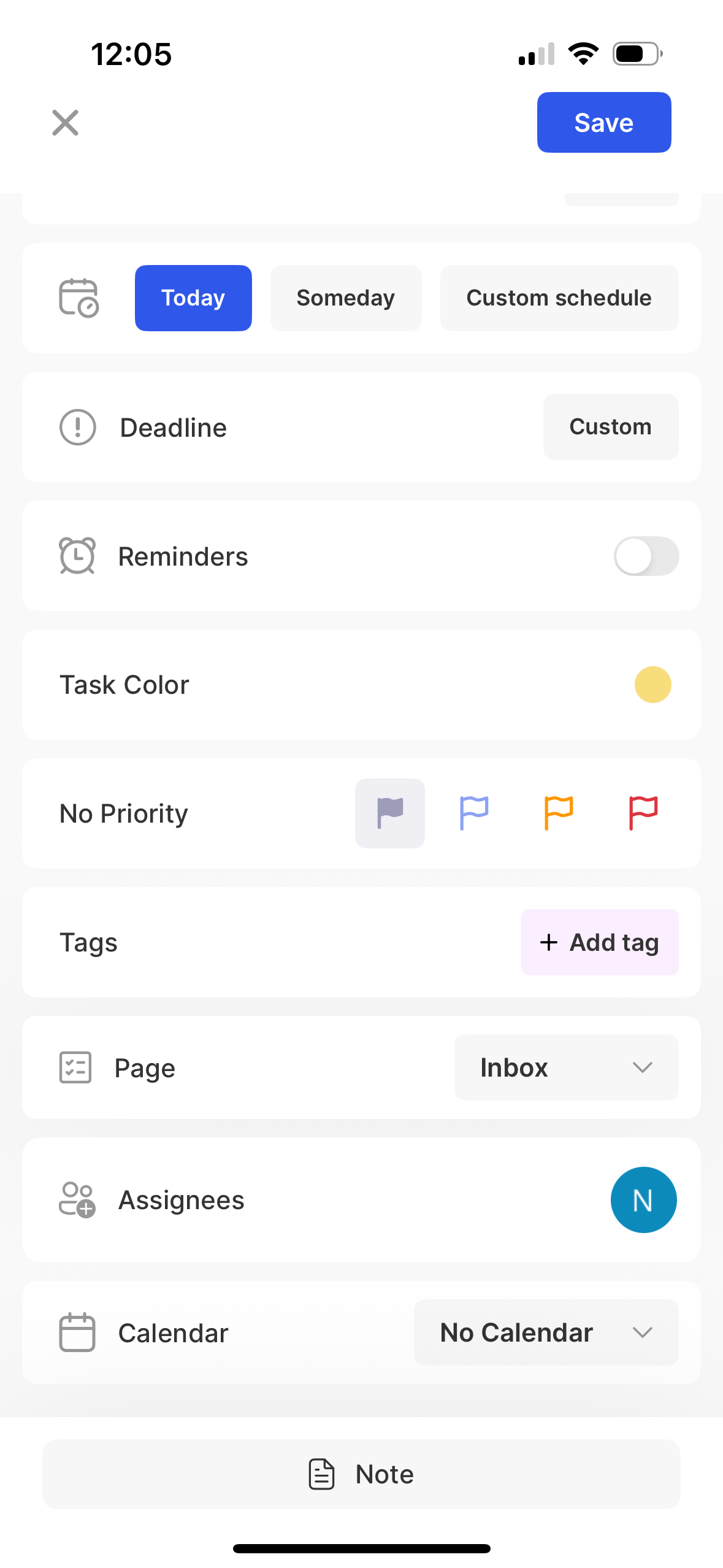
When creating a new task, you have to click “custom schedule”, to get to the duration setting. I’d like it better if it was it’s own section, separate from the date scheduling:
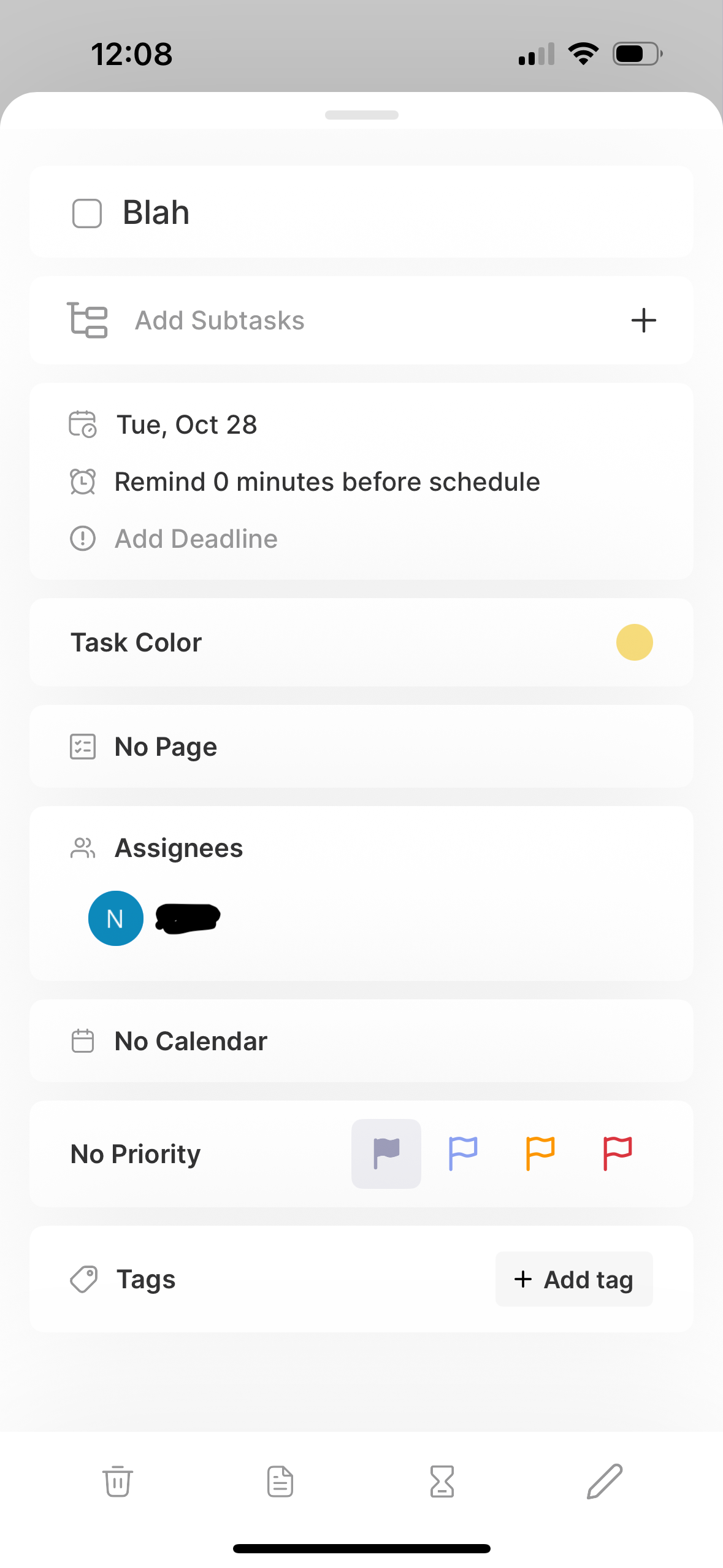
When editing a task, it doesn’t show up unless a duration is already set. Again you have to go to the schedule to get to duration. It didn’t feel intuitive to click a date, to set a duration:
Log in to comment and vote
Comments1
YS
Dec 13, 2025
Thank you, I was about to post this myself!
I would like to give a rough estimation (basically, duration) every time I add a new task, and having to dig all the way in to task details → schedule → duration every single time simply doesn’t work for me.
I’d like the duration (or, I think it’s better called an “estimate” for my case) to be available in the first popup of “create a task” screen on iOS, and allow me to just “set duration” on existing tasks without having to dig all the way down. This would be really useful for me because:
I can now give an estimate when I create a task
when I’m on the go and I create a task without an estimate, I can easily set the estimate later